
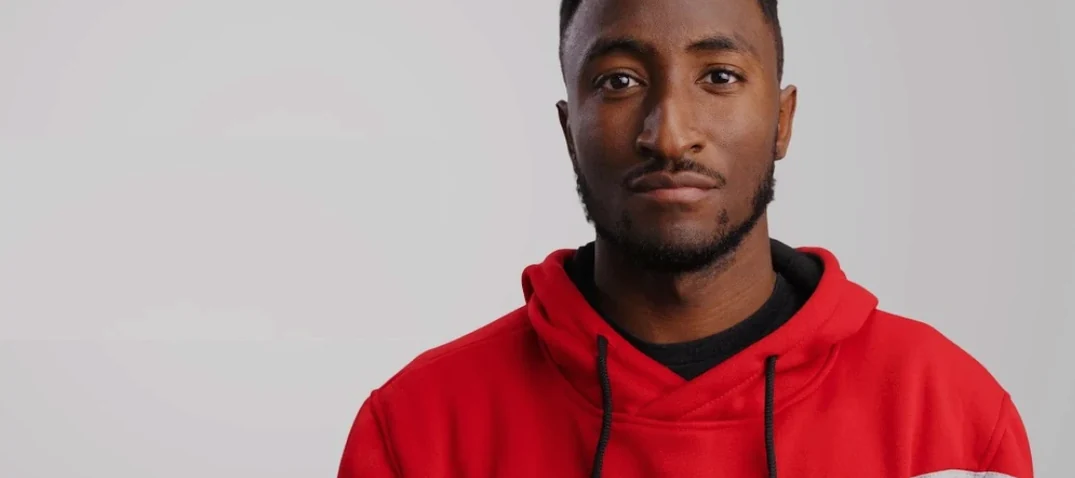
 Download for the office Mac (12 MB)
- Software maker
- motionVFX
- Language support
- English
- License
- Not required
| Download | 12 MB |
|---|
If you already use MotionVFX plugins, you know the workflow: pick a preset, drop it on a clip, adjust if needed. mKBHD fits right into that routine. It’s a collection of 51 presets — titles, effects, and transitions — built in collaboration with Marques Brownlee. The presets land on the tracks and buses you already work with: titles go on the title track, transitions sit between clips, effects go directly on the video clip.
What you get per NLE
- Final Cut Pro: 45 titles and 6 transitions.
- DaVinci Resolve: 35 titles, 10 effects, and 6 transitions.
- Adobe Premiere Pro: requires Premiere Pro 2022+ and After Effects 2022+.
Land on the title track in Final Cut, Resolve, or Premiere
You’ll use these presets the same way you’d use any MotionVFX pack. The titles are designed for lower thirds, intro cards, and callouts — they land on the title track in Final Cut or the equivalent in Resolve and Premiere. The transitions are placed between clips on the timeline. The effects (in the DaVinci version) are applied directly to clips on the video track. There’s nothing unusual about the routing; it’s the same workflow you’re used to, just with presets that mimic MKBHD’s visual style.
Just two folders to copy into your NLE's Motion Templates directory
The plugin itself is not a standalone application. It’s a set of folders and files that your NLE reads from its Motion Templates directory. This means the installer is really just a pair of folders you copy into place. No background services, no extra daemons, no splash screens. Once the folders are in the right spot, the presets show up inside your editor’s effects and titles panels the next time you launch it.
The Final Cut Pro version requires macOS Big Sur 11.7.10 or later and Final Cut Pro 10.6.5. If you run an older version of the OS or the editor, the presets won’t load — you’ll see empty bins or missing file errors. The DaVinci Resolve version needs Resolve 17.4 or later, 16 GB of system memory, and 4 GB of VRAM. That’s a reasonably modern machine; most recent Intel and Apple Silicon Macs with a dedicated or unified GPU meet the spec. The Premiere Pro version requires Premiere Pro 2022 or later and After Effects 2022 or later. If you keep your Adobe apps updated, you should be fine.
All three versions support horizontal aspect ratios. The Final Cut Pro and DaVinci Resolve versions also support vertical aspect ratios, so you can use them for social clips or phone-format timelines without extra cropping. The Premiere Pro version is horizontal only.
The interface language is English. There is no activation step — the Russian download page notes that activation is not required. You unpack the archives and copy the folders to the correct Motion Templates directory. That’s it.
Rendered by your NLE's engine, not a separate process
Will this slow down my timeline?
The presets are rendered by your NLE’s engine, not by a separate process. How they behave depends on your hardware and the number of tracks you’re layering. A simple title preset with a single word of text will use fewer resources than a transition that composites two clips. If you’re worried about playback stutter, you can always work in proxy mode or render the timeline before final export.
Can I use these presets on a project I already started?
Yes. The presets are independent of your existing project. You add them from the effects and titles panels just like any other plugin. Nothing changes about your existing clips, cuts, or timeline structure. Just drag the preset onto the element you want to apply it to.
Do I need motionVFX’s other products installed?
No. mKBHD is a standalone pack. It doesn’t depend on other MotionVFX plugins. It will appear alongside any other MotionVFX presets you already have, but you don’t need them for mKBHD to work.
Can I modify the presets after I apply them?
Yes. Each preset includes editable parameters — font, color, size, position, duration, and so on. The exact controls depend on the NLE. In Final Cut Pro, you adjust them in the Inspector panel. In DaVinci Resolve, you use the Inspector or the Effects panel. In Premiere Pro, you edit them in the Essential Graphics panel or the After Effects comp. The presets are starting points, not locked templates.
What about motionvfx download mac or motionvfx torrent searches?
Some people search for motionvfx cracked or motionvfx free download. The plugin doesn’t require any crack or activation, so those searches lead to unnecessary risk. The legitimate installation is simply unpacking the archives and copying the folders to the right place. No patching, no keygens, no license files.
Placing the folders in the wrong Motion Templates directory
Copying the folders to the wrong location.
The most common error is placing the folders in the wrong Motion Templates directory. Every NLE has its own folder structure. In Final Cut Pro, the correct path is ~/Movies/Motion Templates/. In DaVinci Resolve, it’s ~/Documents/Blackmagic Design/DaVinci Resolve/Fusion Templates/ or Motion Templates/, depending on your installation. In Premiere Pro, you need to point the software to the folder via the Essential Graphics panel. If you put the folders in the root Motion Templates directory without the Titles and Transitions subfolders, the presets won’t appear. Follow the install instructions exactly: move one folder to Motion Templates/Transitions and the other to Motion Templates/Titles.
Forgetting to restart the NLE after installation.
The presets are only loaded when the NLE starts. If you copy the folders while Final Cut Pro, DaVinci Resolve, or Premiere Pro is open, you won’t see the new presets until you quit and relaunch the application.
Applying a transition to the wrong clip edge.
Transitions are placed between two clips, not on a single clip. Beginners sometimes try to drag a transition onto the middle of a clip. It doesn’t work. You need to place it exactly on the cut line between two clips. If your timeline has no cut, add one first.
Ignoring the aspect ratio requirements.
If you’re working in Premiere Pro with a vertical timeline, the horizontal-only presets won’t fit correctly. You’ll get black bars or stretched text. Plan your timeline orientation before you start applying presets. For Final Cut Pro or DaVinci Resolve, both orientations work, but you still need to match the preset’s built-in aspect ratio to your project’s frame size.
Not checking system requirements before installing.
Some users skip the minimum specs and then wonder why the presets don’t load. The DaVinci Resolve version needs 16 GB of system memory and 4 GB of VRAM. If your machine is older or has less RAM, the presets may fail to render or cause the program to stall. Always verify your hardware against the requirements listed on the download page.
How mKBHD fits with other apps and macOS features
The presets are folder-based, so they integrate with macOS’s file system the same way any template pack does. You can use Finder to browse and organize the preset folders, rename them, or move them between drives. Because they’re just folders with standard file formats (typically .mogrte, .drfx, or .aep depending on the NLE), you can back them up with Time Machine or rsync just like any other data. No special permissions, no locked files.
If you use keyboard-based launchers like Spotlight or LaunchBar, you don’t need them for the presets — they only work inside the NLE. But you can use macOS’s native file tagging or notes in Finder to annotate which presets you use most often.
The presets don’t interact with other MotionVFX packs. They coexist in the same Motion Templates directory without conflict. If you already have MotionVFX’s mTransition or mTitle packs installed, mKBHD will appear as a separate set
- 51 ready-made presets added for use in editing workflows.
- macOS Big Sur 11.7.10 or newer
- Final Cut Pro 10.6.5+
- DaVinci Resolve 17.4+
- Adobe Premiere Pro 2022+ and After Effects 2022+
- 16 GB system memory
- 4 GB VRAM (DaVinci Resolve version)
Questions from the office
What NLEs does mKBHD support?
It works with Final Cut Pro 10.6.5+, DaVinci Resolve 17.4+, Adobe Premiere Pro 2022+, and After Effects 2022+.
What are the Mac system requirements?
You need macOS Big Sur 11.7.10 or newer, 16 GB system memory, and 4 GB VRAM for the DaVinci Resolve version.
How do I install mKBHD?
Unpack the archives. Move one folder to Motion Templates/Transitions and the other to Motion Templates/Titles.
Installation steps
- Unpack the archives.
- Move one folder to Motion Templates/Transitions.
- Move the other folder to Motion Templates/Titles.
 Questions and replies
Sign in or set up an account to leave a comment.
No one has commented here yet. If you have used this build, the useful note is where it failed.
Same shelf: Mac Apps
All Mac Apps titles MotionVFX mInfographics
Mac Apps 8 MB
 MotionVFX - mLowers Universal for FCP
Mac Apps 71 MB
 Motion
6.3 Mac Apps 2.6 GB
 MotionVFX mModules
Mac Apps 5 MB
 Motionvfx - mTitle Cinematic
Mac Apps 5 MB
 Moho Pro
14.4 Mac Apps 622 MB
 Movavi Video Editor
22.4.1 Mac Apps 126 MB
 Movavi Video Suite
22.4.1 Mac Apps 294 MB

