

 Download for the office Mac (785 MB)
- Current version
- 3.5.4
- Software maker
- Native Instruments
- Language support
- English
- License
- K'ed by TEAM HCiSO
- macOS versions
- macOS 12 or later
- Processor type
- Apple Silicon, Intel 64-bit
| System | macOS 12 or later |
|---|---|
| Chip | Apple Silicon, Intel 64-bit |
| Download | 785 MB |
| Earlier versions | 11 on record |
Komplete Kontrol 3.5.4 runs on any Mac with macOS 12 or later, both Intel and Apple Silicon. It works as a plug-in in any DAW — drop it on a track or a bus — or run it standalone when you’re not recording.
Browse instruments, effects, and samples from one place with NKS tagging
- Browsing instruments, effects, presets, loops and samples from one place, with NKS tagging to find what fits.
- Loading and controlling sounds from a mouse, keyboard, or MIDI controller — including S-Series keyboards with the Light Guide for visual feedback.
- Using NKS Mode with compatible NKS Connect controllers for hands-on control in a session.
NKS hardware support and a Cubase fix for S-Series MK2 level meters
- Komplete Kontrol is designed to work with Native Instruments hardware that supports NKS, though you can use it without one.
- Version 3.5.4 fixed a Cubase issue where S-Series MK2 level meters stopped working on Windows — Mac users get the same stability improvements.
- If you change plug-in parameters from a Kontrol S-Series MK3, performance is now better than before.
Before you get deep into a session, take a few minutes to check a couple of settings. They’re not mandatory, but they’ll save you from stopping mid-project to hunt something down.
Standard disk image install that behaves like any other AU or VST instrument
Komplete Kontrol 3.5.4 installs through a standard disk image — mount it and run the installer. The app itself is a plug-in host, so it behaves like any other AU or VST instrument in your DAW. System impact will depend on how many third-party plug-ins you load and tag, but nothing in the requirements suggests anything out of the ordinary for a modern DAW setup. Both Intel and Apple Silicon Macs are supported; the installer handles architecture on its own.
Match your audio device and sample rate to your DAW project
After installation, open Komplete Kontrol and look for the preferences or settings panel. A few adjustments can make the first sessions smoother:
- Set your audio device and sample rate to match your DAW project. If you plan to run standalone, this is where you choose your interface.
- If you use a MIDI controller, confirm it is seen by the plug-in before loading any sounds. Komplete Kontrol responds to MIDI, mouse, and keyboard — pick whichever fits your workflow.
- Enable NKS Mode if you have a compatible NKS Connect controller. This lets you control instruments and effects directly from the hardware, rather than clicking on-screen.
Use NKS tagging to mark content from 750+ plug-ins across 90 developers
Spend the first few hours getting comfortable with browsing and tagging. The library can show more than 750 plug-ins from 90 developers — that’s a lot of content. Use NKS tagging to mark loops, samples, and presets as you go. The built-in sampler can play sounds directly, and you can drag loops or one-shots straight to your DAW timeline. That drag-and-drop is faster than exporting or bouncing.
If you use an S-Series keyboard, watch for the Light Guide feedback. It shows what’s mapped and what isn’t, which helps when you’re learning the controller layout. And if you run into any odd behavior with parameter changes from a Kontrol S-Series MK3, version 3.5.4 addressed that — you should see cleaner response than in earlier releases.
Finally, sync your collections with Sounds.com if you use their content. It’s one less task to remember when you’re later in a project.
- Added NKS Connect support in Komplete Kontrol.
- Added NKS Mode integration for compatible NKS Connect controllers.
- Fixed performance issues when changing plug-in parameters from Kontrol S-Series MK3.
- macOS 12 or later
- Intel or Apple Silicon
- English interface language
Installation steps
- Mount the downloaded disk image.
- Run the standard installation process.
 Questions and replies
Sign in or set up an account to leave a comment.
No one has commented here yet. If you have used this build, the useful note is where it failed.
Same shelf: VST Plugins
All VST Plugins titles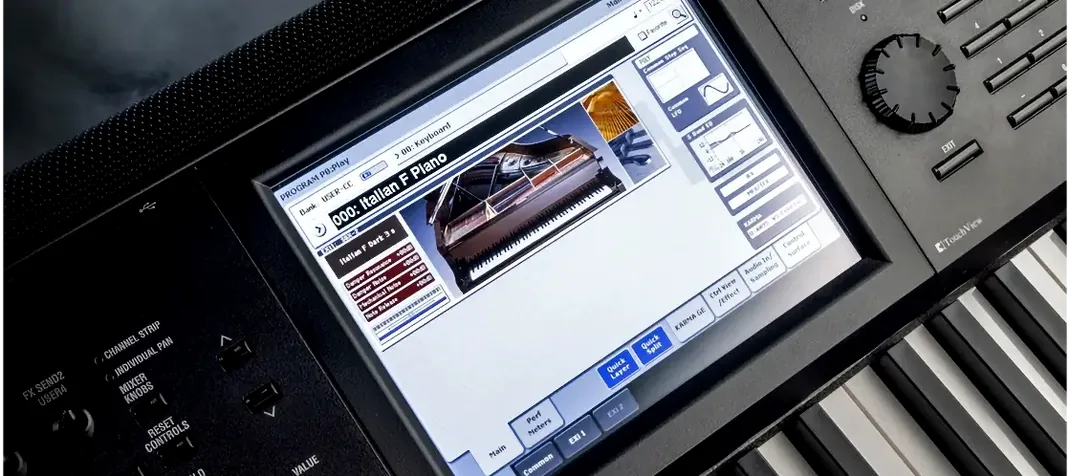 KORG Collection
1.0.3 VST Plugins 175 MB
 KORG TRITON
1.4.7 VST Plugins 586 MB
 Kalifornia Dynamic KD Alkane
1.0.17 VST Plugins 270 MB
 iZotope Tonal Balance Control
3.0.0 VST Plugins 264 MB
 iZotope RX
12.1.0 VST Plugins 3.6 GB
 iZotope Neutron
5.2.0 VST Plugins 928 MB
 iZotope Nectar
4.1.0 VST Plugins 545 MB
 iZotope Insight
2.4.0 VST Plugins

