
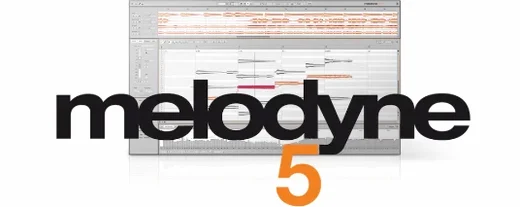
 Download for the office Mac (97 MB)
- Current version
- 5.4.2.006
- Software maker
- Celemony
- Language support
- English
- License
- K'ed by MORiA
- macOS versions
- macOS 10.12 or later
- Processor type
- Apple Silicon, Intel 64-bit
| System | macOS 10.12 or later |
|---|---|
| Chip | Apple Silicon, Intel 64-bit |
| Download | 97 MB |
| Earlier versions | 1 on record |
Melodyne is audio editing software for pitch, timing, and note-based correction. It analyzes vocal material for pitch, noise, breath, and intonation, and lets you edit individual notes in a recording. It works as a plug-in inside a DAW, with ARA support for deeper integration.
Tunes vocal tracks and individual notes to key
- Tuning a vocal track or sample to the key of a composition
- Editing pitch, timing, and dynamics of individual notes in a performance
- Detecting and editing notes inside chords
- Applying note-based fades and leveling with the Fade Tool and Leveling Macro
Choose from four editions with varying capabilities
- Available in Essential, Assistant, Editor, and Studio editions — capabilities vary
- System requirements: macOS 10.12 or later, Intel or Apple Silicon
- Interface is English only
Fixes pitch drift in a second verse using ARA
Say you have a vocal take that sits well in the track but drifts off pitch in the second verse. You open Melodyne as an ARA plug-in inside your DAW, and the audio appears in Melodyne's note blade right away — no separate export or re-import. The software analyzes the performance and shows each syllable as a blob. You see the pitch line, the timing bars, and the amplitude contour underneath.
You start by selecting the whole verse, then bring the pitch deviation down with a single drag. The notes snap closer to the scale you've set, but they keep their natural shape. The breath sounds and whispered consonants stay separate from the pitched part of the sound, so you don't accidentally flatten those into something unnatural. Next you go through the verse note by note. A couple of notes started a hair late, so you grab the timing handle on each and pull them forward. A third note has too much vibrato for the line you want — you reduce it with the vibrato control, which leaves the rest of the note unchanged.
Further along, a loud syllable pokes out. You use the Fade Tool to taper the front of that note, and the Leveling Macro evens out the volume across the whole verse in one pass. The Percussive Pitched algorithm catches a drum hit that bled into the vocal mic; without that algorithm, Melodyne might have treated the bleed as a separate pitched note. With it, the transient stays as a short percussive event, not something you'd feel the need to silence.
When you finish editing, you close the plug-in window. Melodyne updates the audio in your DAW timeline right then. No bouncing, no rendering step. You play the section back and it's in place.
Works on Intel and Apple Silicon Macs running macOS 10.12+
Will it run on my older Mac?
Melodyne 5.4.2 runs on macOS 10.12 and later, and the Mac version is a Universal Binary. That means it works on both Intel-based Macs and Apple Silicon machines without needing a separate installer. If your system runs High Sierra or newer, it should be fine.
Do I need a DAW to use it?
Melodyne can work as a stand-alone application, but the ARA plug-in mode is the more common setup. In ARA mode, Melodyne and your DAW share the same audio data. You don't bounce files back and forth. Most major DAWs support ARA — check yours.
What does "note-based" editing actually mean?
Instead of drawing a pitch curve over a waveform, Melodyne separates the audio into notes it identifies. You see each note as a blob. Each blob has handles for pitch, timing, volume, vibrato, formants, and length. You can change one without affecting the others. That's the core difference from standard pitch shift or time stretch tools.
Can I edit chords?
Yes. Melodyne can detect and edit individual notes inside a chord. You see the notes stacked vertically, and you can adjust one note of the chord without moving the others.
Is it tied to one iLok or machine?
That depends on the edition and how you license it. The version described here is the one that runs without a hardware key or online check after installation.
Trackpad scrolling now feels natural in the note blade
- The trackpad scrolling improvements in 5.4.2 make it easier to move around the note blade on a laptop. Scrolling felt jumpy before; now it tracks your finger motion more naturally.
- The Leveling Macro works on a selection. You don't have to apply it to the whole file. You can level only the chorus, for instance, and leave the verses alone.
- Melodyne recognizes the key and tempo of the audio it analyzes. If you know the song is in G major, you can set the scale in the software, and pitch corrections snap to that scale automatically.
- The Fade Tool applies fades per note, not per region. That means a fade on one syllable doesn't create a crossfade that might affect the next syllable.
- Formant editing lets you change the character of a voice. If a backing vocal sounds too thin compared to the lead, you can adjust its formants to sit better, without changing pitch.
Reads audio directly from DAW tracks via ARA
Melodyne's ARA integration is the main connection point. When you use it inside a DAW that supports ARA — such as Logic Pro, Studio One, or Cubase — Melodyne reads the audio directly from the track. You don't commit changes until you want to. That saves disk space and avoids duplicating audio files.
On the system side, Melodyne 5.4.2 benefits from macOS Sequoia adaptations. Celemony specifically optimized this version for that release, so if you are on the latest macOS, you don't have to wait for a compatibility patch. The bug fix for a crash under certain circumstances when opening Melodyne in ARA and plug-in use cases means fewer interruptions during a session.
Because it's a Universal Binary, you can share the installer between an older iMac and a newer MacBook Pro with an Apple Silicon chip. The same download works for both. No need to check which architecture you need.
For file management, Melodyne works with audio files in common formats — WAV, AIFF, and others. It does not require a proprietary format. That makes it easy to bring material in from other tools or to export edited parts back out if you need to use them elsewhere.
A workflow for tuning a vocal performance from start to finish
This is one specific way to work through a track. You can adapt it to your own habits.
- Set up your session. Open your DAW and create a new audio track. Import or record the vocal performance. Insert Melodyne as an ARA plug-in on that track.
- Analyze. Play the track once through. Melodyne analyzes the audio and displays the detected notes in the note blade. If the track has multiple singers or instruments on one track, it will separate what it can.
- Set the key. Look at the scale ruler on the left side of the note blade. If you know the song's key, set it there. Melodyne will use that scale as a reference for pitch correction.
- Correct global pitch. Select all notes in the vocal track — Command-A works. Drag the pitch correction handle (usually a small vertical bar on the left of the selection) to reduce overall pitch deviation. The notes will move closer to the scale but keep their original contour.
- Fix individual notes. Zoom in on sections that sound off. Click a note to select it. Use the pitch handle to nudge it to the correct note. If the timing is off, grab the timing handle and pull it left or right. If a note has too much vibrato, adjust the vibrato control.
- Level dynamics. Select a section — a phrase or a verse. Use the Leveling Macro to even out volume differences between notes. Then use the Fade Tool to taper the front or end of a note that sticks out.
- Edit formants if needed. If a corrected note sounds unnatural — like it lost its character — you can adjust the formants. This changes the tone quality without moving the pitch.
- Check chords. If you have a harmony part with chords, zoom into the chord. Melodyne shows the notes vertically. You can adjust one note of the chord without affecting the others.
- Preview and finalize. Play the track from start to finish. Make any small adjustments. When you're satisfied, close the Melodyne window. The edited audio plays back in your DAW immediately. If you need to make further changes, reopen Melodyne — the edits are still there.
- Optimizations, bug fixes, and macOS Sequoia adaptations
- Improved trackpad scrolling
- Fixed a crash that could occur when opening Melodyne in ARA and plug-in use cases
- macOS 10.12 or later
- Intel or Apple Silicon
- English interface
Questions from the office
Does Melodyne work as a standalone app?
Melodyne can be used as a plug-in directly in a DAW. It also supports ARA mode for tighter integration with compatible hosts.
What did version 5.4.2 fix?
Version 5.4.2 addressed a crash that could occur when opening Melodyne in ARA and plug-in use cases, and improved trackpad scrolling.
What macOS versions does Melodyne 5.4.2 support?
Melodyne 5.4.2 runs on macOS 10.12 or later and supports both Intel and Apple Silicon Macs.
Installation steps
- Mount the downloaded disk image.
- Run the standard installation procedure.
 Questions and replies
Sign in or set up an account to leave a comment.
No one has commented here yet. If you have used this build, the useful note is where it failed.
Same shelf: VST Plugins
All VST Plugins titles Metric Halo Production Bundle
2025.05 VST Plugins 318 MB
 MiniMeters
1.0.30 VST Plugins 103 MB
 Minuit Solstice
1.2.0 VST Plugins 117 MB
 Native Instruments Massive X
1.7.1 VST Plugins 1.6 GB
 KORG TRITON
1.4.7 VST Plugins 586 MB
 Neural DSP Archetype Petrucci
1.0.0 VST Plugins 745 MB
 KORG Collection
1.0.3 VST Plugins 175 MB
 Neural DSP Archetype Rabea X
1.0.1 VST Plugins 742 MB

