
 Download for the office Mac (179 MB)
- Current version
- 1.0.0
- Software maker
- Neural DSP Technologies
- Language support
- English
- License
- K'ed by FLARE
- macOS versions
- macOS 10.15 or later
- Processor type
- Apple Silicon, Intel 64-bit
| System | macOS 10.15 or later |
|---|---|
| Chip | Apple Silicon, Intel 64-bit |
| Download | 179 MB |
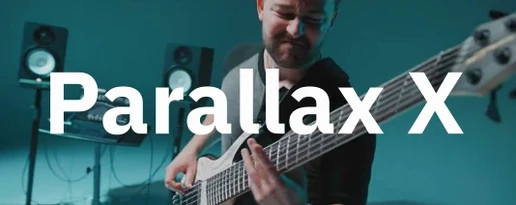
Neural DSP Parallax X is a bass processing plugin built around parallel multiband distortion, cabinet simulation, and a standalone mode.
On a bass track
Parallax X works well directly on a DI bass track. The low-frequency compressor tightens the bottom end, while the mid and treble distortion sections add articulation and edge. The six-band graphic EQ lets you shape the tone before or after the distortion stages.
On an aux bus
You can run Parallax X on a send bus to blend processed bass with the clean signal. The cabinet emulation with six virtual microphones gives you room to dial in a separate amp-like sound, then mix it underneath the direct bass for thickness without mud.
On a re-amp or re-processing job
When you need to re-amp a recorded bass or try a different distortion character, Parallax X handles it. The tube-modeling approach for mid and high frequencies changes the feel, and the new Transpose, Live Tuner, and Metronome features make standalone practice or re-tracking faster.
Slots into any Mac DAW as VST2, VST3, AU, or AAX
Parallax X installs as a 64-bit plugin in VST2, VST3, AU, and AAX formats, so it slots into any modern DAW on the Mac without extra wrappers. The installer keeps the original Parallax version intact and puts Parallax X in its own folder. On Apple Silicon Macs and Intel machines running macOS 11 or later, the plugin runs natively on both architectures. The standalone mode works independently of any DAW, useful for quick practice or sound design sessions without launching a project.
The plugin also interacts well with macOS audio routing. In standalone mode, you can use the built-in tuner and metronome, then switch to your DAW for tracking. The metronome includes time signature, accent, and note-length settings, which is more flexibility than many DAW click tracks offer. If you use system-wide audio tools like Soundflower or Loopback, Parallax X in standalone mode can feed into them for live streaming or recording setups.
Factory presets show off the revamped interface on a DI bass track
After you run the installer from the disk image, open your DAW and insert Parallax X on a DI bass track. Start with the factory presets — the new revamped interface includes a set of them, and they give you a quick sense of what the parallel multiband processing can do. Scroll through a few presets to hear how the low, mid, and high bands work together.
Next, try the Transpose feature. It shifts pitch up or down within one octave, which is handy for tuning a bass part to match a different key or for writing lines that sit outside the instrument's normal range. Double-check that your input signal is clean and not clipping, because the distortion stages respond differently to hot signals.
Spend some time with the standalone mode. Open it from your Applications folder and set the metronome to a simple 4/4 at a comfortable tempo. Play along to get used to the Live Tuner display. The tuner is always visible in standalone mode, so you can check your tuning between takes without switching windows.
Over-compressing the low band kills sustain and makes it pumpy
The most common slip is over-processing the low band. The low-frequency compressor is designed for bass, but it's easy to push the compression ratio too high, which kills the natural sustain and makes the low end sound pumpy. Start with a low ratio and increase only if the part needs more control. The same goes for the distortion stages — the mid and treble sections can add articulation, but cranking both to maximum often results in a fizzy, unfocused tone. Dial in small amounts and listen to how they interact with the clean signal.
Another mistake is ignoring the cabinet emulation. The emulation is applied only to the mid and high ranges, so the low end stays clean. Beginners sometimes disable the cab entirely, thinking it adds unwanted color. But without it, the mid and high bands can sound harsh and direct. Try a few of the six virtual microphones at different positions before deciding to bypass it.
Some users also forget that Parallax X is a separate plugin from the original Parallax. The installer keeps both versions on your system, and legacy user presets are imported into the Parallax X user folder during setup. If you can't find your old presets, check the user folder directly rather than assuming they're missing. The new version doesn't overwrite or replace the old one, so you can compare the two side by side.
Set the low-frequency compressor to 3:1 or 4:1 for tight bottom
Open Parallax X on a bass track and start with these adjustments:
- Set the low-frequency compressor to a moderate ratio, around 3:1 or 4:1, and listen for how it tightens the bottom without choking it. Increase only if the part sounds loose.
- Enable the cabinet emulation and cycle through the six microphones. Pick the one that adds the most natural body to the mid and high bands without making them boxy.
- Adjust the Transpose to your song's key if you're playing a bass part that needs to shift. A half-step up or down is often enough to change the feel without sounding artificial.
- Tweak the six-band graphic EQ before the distortion stages to cut any resonant frequencies that might cause the distortion to react harshly. A small cut around 200-300 Hz often helps clarity.
- In standalone mode, set the metronome time signature and accent to match the practice piece. The note-length setting controls the subdivision, which helps with timing exercises.
- Adds Transpose, Live Tuner, and Metronome features.
- Adds new factory presets and a revamped interface.
- Adds a redesigned Spectrum Analyzer.
- macOS 11 or later
- 64-bit host
- Intel or Apple Silicon
- English interface
Installation steps
- Open the downloaded disk image.
- Run the standard installation process.
 Questions and replies
Sign in or set up an account to leave a comment.
No one has commented here yet. If you have used this build, the useful note is where it failed.
Same shelf: VST Plugins
All VST Plugins titles Neural DSP Soldano SLO-100 X
1.0.0 VST Plugins 340 MB
 Neural DSP Archetype Rabea X
1.0.1 VST Plugins 742 MB
 Neural DSP Archetype Petrucci
1.0.0 VST Plugins 745 MB
 Native Instruments Massive X
1.7.1 VST Plugins 1.6 GB
 Nudist Audio Nudistort
1.2.5 VST Plugins 45 MB
 Omnisphere
3.0.2c VST Plugins 205 MB
 Output Portal
1.2.1 VST Plugins 319 MB
 Minuit Solstice
1.2.0 VST Plugins 117 MB

