
 Download for the office Mac (7.2 GB)
- Current version
- 3.0.1
- Software maker
- Yamaha Corporation, Steinberg Media Technologies GmbH
- Language support
- English
- License
- k'ed by Team V.R
- macOS versions
- macOS 13 or later
- Processor type
- Apple Silicon, Intel 64-bit
| System | macOS 13 or later |
|---|---|
| Chip | Apple Silicon, Intel 64-bit |
| Download | 7.2 GB |
| Earlier versions | 1 on record |
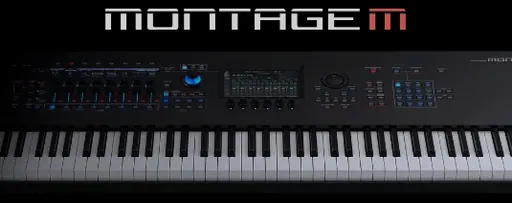
The Yamaha Expanded Softsynth Plugin for MONTAGE M is a DAW plugin that reproduces the MONTAGE M hardware synthesizer functions on a computer. It works in sync with the hardware, but you can also run it on its own for editing, offline processing, or rendering. Project files store the plugin settings, so your synth patches travel with the session.
In a typical session, you insert it on a MIDI track to record or sequence parts. It handles one sound per instance, and you can run multiple instances if your Mac has the headroom. The plugin sits on instrument tracks, not audio buses, because it generates audio from MIDI input. For mixing, you route its output to aux buses for reverb, delay, or compression the same way you would with a hardware synth patched into a console.
Version 3.0 adds full edit capability, which means you can tweak every parameter on a computer display without touching the hardware. That is useful when you are deep into editing and want a bigger screen. The plugin is not sold separately; it is part of the MONTAGE M ecosystem, but once you have it, it behaves like any other VST instrument in your folder.
Plugin not appearing in your DAW after installation
The most frequent issue is the plugin not appearing in the DAW after installation. The package file named Install Expanded Softsynth Plugin for MONTAGE M-MODX M V3.0.1.pkg installs the core software, but the patch file named MONTAGE-M-patch-3.0.1-osx also needs to be applied. If you skip either step, the plugin may show as a blank placeholder or fail to load. Run both installers in sequence, then rescan your plugin folders from the DAW.
Another snag is the plugin refusing to sync with MONTAGE M hardware. This usually happens when the hardware firmware and the plugin version are out of step. Yamaha keeps ESP development synchronized with MONTAGE M updates, so update the hardware firmware before troubleshooting the plugin side. If the hardware is already current, check that both the Mac and the synth are on the same network segment if using network MIDI.
Some users report the plugin using more CPU than expected when multiple instances are open. The plugin runs one sound per instance, and each instance does its own processing. If your session has a dozen instances, close any you are not actively editing or monitoring. Offline rendering, supported in version 3.0, also helps — bounce the MIDI parts to audio and remove the plugin instances to free up resources.
Subtle everyday changes from the full edit capability
Yamaha did not publish a list of changes specific to version 3.0.1, so the everyday differences are subtle. The full edit capability introduced in version 3.0 remains the main practical change — you can tweak every parameter on screen without the hardware. The 3.0.1 update appears to be a maintenance release that keeps things working under macOS 13 and newer. If you were already on 3.0, you will not see new features, but you avoid potential compatibility hiccups with newer macOS builds.
Treating the synthesizer like a sample player
Beginners often treat the plugin like a sampler and load it expecting to browse through preset sounds like a ROMpler. It is a synthesizer plugin, not a sample player. You need to understand basic synthesis to get useful results — envelope, filter, and modulation parameters are all editable. Start with the factory presets and modify one or two parameters at a time rather than trying to build a sound from scratch.
A second mistake is running the plugin on audio tracks instead of instrument tracks. It generates audio from MIDI input, so it needs a MIDI clip or live MIDI controller to produce sound. Insert it on an instrument track, write or record MIDI data, and route its audio output to your mix buses. Dropping it on an audio track with no MIDI source produces nothing.
Another is neglecting to save project files with the plugin settings embedded. If you close a session without saving, or if you open it on a machine that does not have the plugin installed, your synth patches are gone. Always save the project file with the plugin active, and keep a backup of the preset data if you share sessions between studios.
Beginners also sometimes try the yamaha expanded softsynth plugin for montage m crack mac route, not realizing the plugin is only available to MONTAGE M owners and the installer requires the hardware serial to function properly. The patched version here works, but treat it like any other professional plugin — allocate time to learn the signal flow before expecting polished results.
- macOS 13 or later
- Intel or Apple Silicon Mac
- Interface language: English
Questions from the office
Can I use the plugin without the MONTAGE M hardware connected?
Yes. The plugin works in sync with the hardware, but you can also use it offline for editing, rendering, or playback without the synth connected.
How many instances of the plugin can I run at once?
You can run multiple instances if your computer performance allows it. Each instance handles one sound, so you can layer or split parts across tracks.
Installation steps
- Open the package file named Install Expanded Softsynth Plugin for MONTAGE M-MODX M V3.0.1.pkg and follow the installer prompts.
- Open the patch file named MONTAGE-M-patch-3.0.1-osx and apply it.
 Questions and replies
Sign in or set up an account to leave a comment.
No one has commented here yet. If you have used this build, the useful note is where it failed.
Same shelf: VST Plugins
All VST Plugins titles Xpand!2
2.3.1 VST Plugins 1.2 GB
 XLN Audio XO
1.8.10 VST Plugins 2.3 GB
 XLN Audio Life
1.2.3 VST Plugins 442 MB
 WaveLab Pro
13.0.30 VST Plugins
 VocalSynth 2
2.6.1 VST Plugins 259 MB
 VocalNet
1.0.4 VST Plugins 669 MB
 Valhalla DSP Bundle
2025.12 VST Plugins 61 MB
 UJAM Symphonic Elements STRIIIINGS
1.3.1 VST Plugins 4.4 GB

