 Download for the office Mac (31 GB)
- Current version
- 1.25.0.0 Native
- Software maker
- Giants Software
- Language support
- Russian, English, German, Hungarian, Vietnamese, Danish, Indonesian, Spanish, Italian, Catalan, Chinese (Traditional), Chinese (Simplified), Korean, Dutch, Norwegian, Polish, Portuguese, Romanian, Turkish, Ukrainian, Finnish, French, Czech, Swedish, Japanese
- License
- Not required
- Processor type
- Apple Silicon, Intel 64-bit
- Tried first on
- macOS Tahoe, Mac mini 2024 M4
- Date released
- 12.11.2024
- Spoken audio
- English
| Chip | Apple Silicon, Intel 64-bit |
|---|---|
| Download | 31 GB |
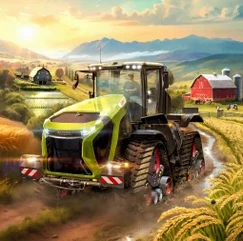
Farming Simulator 25 is the latest in the long-running series, and it brings a familiar set of tasks to a new engine. If you've used earlier versions, the rhythm is the same: plant, tend, harvest, sell. But GIANTS Engine 10 adds weather that actually changes the landscape, including hurricanes and hail, so your fields won't always look the same.
Three regions with new crops like spinach and green beans
- Players who want a relaxed, methodical simulation rather than fast action.
- Managing a farm across three settings: North America, Central Europe, and East Asia.
- Growing new crops like spinach, peas, and green beans, plus caring for animals and running forestry, production, and farm shops.
- Playing solo or cooperatively with friends in multiplayer.
Requires macOS 11.3, M1 chip, 8 GB RAM, and 45 GB storage
- Requires macOS 11.3 or later, an Apple M1 chip or newer, 8 GB RAM, and 45 GB of free storage.
- Runs on both Intel and Apple Silicon Macs, but the Apple M1 requirement means older Intel machines may not qualify.
- Controls are designed for keyboard and mouse, though a gamepad works well for field work.
- Performance depends on your Mac's GPU; expect to lower graphics settings on base M1 models.
- Accessibility features are included, which is good for players with different needs.
Gradual builders who set their own pace
Farming Simulator 25 isn't a game you rush through, and that's exactly the point. The players who stick with it longest tend to be people who enjoy setting their own pace. If you like games where you build something gradually, make decisions about equipment and land, and see the results over hours rather than seconds, this one fits. It's especially good for Mac users who want something that runs natively on Apple Silicon without needing a Windows partition.
Cooperative multiplayer is where the game really opens up. If you have a friend or two who also play on Mac, you can split up the work: one handles crops, another manages animals, someone else runs the forestry operation. The game doesn't force you into roles, so you can decide how to divide things. That makes it a good choice for people who want a shared activity that isn't competitive.
Players who enjoy modding will find plenty to do here. The ModHub is built into the game, so you can browse and download user creations without leaving the menu. That includes new machines, maps, and gameplay tweaks. If you've ever spent time customizing a simulation game, this version gives you a lot to work with.
Intel Mac compatibility and hardware requirements
2020 Intel Macs with decent GPU may still work
The game runs on both Intel and Apple Silicon, but the requirement says Apple M1 or later. That means some Intel Macs are excluded. If you have a 2020 Intel Mac with a decent GPU, you might be fine, but check your model against the 45 GB storage and 8 GB RAM minimums. The game is 64-bit only, so older Macs stuck on macOS 10.x won't work at all.
Offline single-player works after initial install
You can play single-player offline after the initial install and any updates. Multiplayer obviously needs a connection, and ModHub access requires it too. But the core farming loop works fine without being online.
Gamepad works for field work, keyboard for shortcuts
Keyboard and mouse work well for menus and most tasks. For field work, many players prefer a gamepad. The game supports them, but you'll still need the keyboard for some shortcuts. Try both and see what feels natural.
How does saving work
The game uses manual saves and autosaves. You can save at any point, and the autosave runs at set intervals. If you're playing multiplayer, the host's save file is the one that matters.
Runs full-screen with windowed mode available
Farming Simulator 25 is a self-contained game, so it doesn't integrate with other productivity apps. But it does respect some macOS conventions. The game runs full-screen by default, and you can switch to windowed mode using the game's display settings. Mission Control and Spaces work as expected, so you can jump out to check a guide or message without quitting.
For players who like to record or stream, the game works with macOS screen recording tools. QuickTime Player can capture gameplay, and OBS Studio works fine too. The game doesn't block these, so you can share your farm progress without extra software.
If you use multiple displays, the game lets you choose which screen to run on. That's handy if you want a map or a web browser open on the other display. The game doesn't have native support for ultra-wide monitors, but it scales correctly on standard aspect ratios.
The ModHub integration is smooth. You browse mods from within the game, download them, and they appear in your mod list automatically. No need to visit external sites or manually place files in folders. It's one of the cleaner implementations of mod support in a Mac game.
Co-op wheat farming on a Central Europe map
Say you and a friend both have Macs and want to play together on a Central Europe map. You start with a small farm, some basic tractors, and a field of wheat. You handle the planting and harvesting, while they manage feeding and collecting products. The GPS-assisted steering makes the field work less tedious, so you can focus on planning what to plant next. A hurricane rolls through and damages some crops, so you adjust your plan and repair equipment. The whole session is cooperative, no rush, just working through the seasons together. That's the kind of experience this game is built for.
- Bug fixes and general game improvements.
- Update 1.23.1.0 released on September 9, 2026.
- macOS 11.3 or later
- Apple M1 chip or later
- 8 GB RAM
- 45 GB available storage
- 64-bit processor and operating system
Questions from the office
Does Farming Simulator 25 support multiplayer on Mac?
Yes, the game supports cooperative multiplayer, so you can work on a farm with friends online.
Installation steps
- Open the downloaded disk image (DMG) file.
- Drag the Farming Simulator 25 app into the Applications folder alias.
- Once the copy finishes, open the app from Launchpad.
 Questions and replies
Sign in or set up an account to leave a comment.
No one has commented here yet. If you have used this build, the useful note is where it failed.