
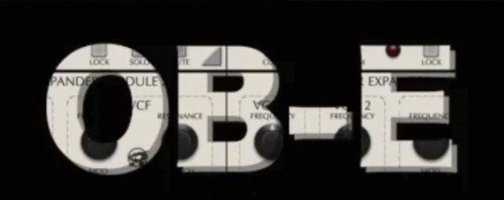
 Download for the office Mac (71 MB)
- Current version
- 2.6.0
- Software maker
- GForce Software
- Language support
- English
- License
- K'ed by R2R
- macOS versions
- macOS 10.13 or later
- Processor type
- Apple Silicon, Intel 64-bit
| System | macOS 10.13 or later |
|---|---|
| Chip | Apple Silicon, Intel 64-bit |
| Download | 71 MB |
| Earlier versions | 1 on record |
Sound designers and keyboard players who want the classic Oberheim 8-Voice sound in a modern DAW will find a lot to work with here. The OB-E is a 64-bit plugin that runs on both Intel and Apple Silicon Macs, so it fits into most current setups without fuss.
Check your host and macOS version before installing
Before you load it up, check that your host supports the plugin format you need. The OB-E comes as a standard 64-bit plugin, and the installer is a straightforward DMG mount-and-run affair. It requires macOS 10.13 or later, and the interface is in English.
The sound: eight SEMs working together
What makes this instrument interesting is the architecture. Eight SEM units are triggered polyphonically from a keyboard, each with its own two ADS envelope generators and a multimode filter. That gives you a lot of movement per note, and Tom Oberheim himself gave the emulation his personal endorsement. If you want thick, animated analog-style pads or punchy bass lines, the OB-E delivers without needing a rack of vintage hardware.
Common beginner missteps
New users often treat the OB-E like a single-layer synth. They load a preset, play a chord, and wonder why the result feels thinner than expected. The trick is remembering that each of the eight SEMs has its own filter and envelope pair. If you leave all SEMs on identical settings, you are effectively using one voice amplified seven times. The real character comes from small differences between the eight units — slightly different filter cutoff per voice, varied envelope decay times, or different VCO tunings.
Another frequent mistake is ignoring the polyphonic triggering logic. Some people expect that holding down three keys uses three SEMs, and releasing them frees those voices. That is roughly how it works, but the exact voice assignment can surprise you if you are used to a basic polysynth. Spend a few minutes playing single notes in sequence and watch how the plugin distributes voices. It will save you head-scratching later.
A third error is cranking the multimode filter resonance without adjusting the envelope depth first. The filter can scream, but it needs proper envelope shaping to sound musical. If the result is harsh, back off the filter envelope amount before reaching for the EQ in your DAW.
For ambient, cinematic, and electronic music with layered, evolving sounds
This plugin rewards people who like layered, evolving sounds. If you produce ambient, cinematic, or electronic music where a single chord needs to swell and shift over several bars, the eight-voice architecture is a natural fit. It is also well suited for keyboard players who want to replicate the feel of a vintage polysynth without the maintenance hassle. The fact that each SEM can run its own filter and envelope means you can build patches that change texture across the keyboard range — bright on top, warm and round on the bottom — which is difficult with simpler synths.
Sound designers working on film or game scores will appreciate the ability to create thick, animated textures that do not sound static after a few seconds. And for anyone who already owns GForce Software instruments, the OB-E fits neatly into the same workflow, so there is no learning curve for the installer or preset management.
Master a single SEM voice before layering all eight
- Start with a single SEM. Before you layer all eight voices, load a patch that uses one SEM. Learn its filter, its envelope, and its LFO behavior first. Then duplicate that SEM across multiple voices and start varying parameters one at a time.
- Use the preset browser. Version 2.5 added a preset browser, and it is worth browsing through the factory patches to hear what the OB-E can do. You will discover voicing combinations you would not think to try on your own.
- Experiment with the exponential filter tracking mode. Also new in 2.5, this mode changes how the filter responds to keyboard velocity. Try it on a bass patch with a slow envelope — the tracking can make your playing feel more expressive.
- Save your own patches early. Once you dial in a combination of voice assignments, filter settings, and envelope shapes that works for a particular track, save it as a user preset. You will thank yourself when you need that exact texture again.
Before installing, confirm plugin format compatibility
Will this work in my DAW?
It is a 64-bit plugin that runs on macOS 10.13 or later, on both Intel and Apple Silicon Macs. As long as your DAW supports standard 64-bit plugins, you should be fine. The installer is a simple DMG file — mount it and run the setup, no special steps required.
Native ARM support means no Rosetta needed on Apple Silicon
Yes. The OB-E supports ARM processors natively. That means you do not need Rosetta or any translation layer — it runs directly on Apple Silicon machines just as it would on an Intel Mac.
How many simultaneous notes can I play?
Since there are eight SEM units, you can play up to eight notes at once before voices start stealing from each other. That is plenty for most playing styles, including chords and two-hand parts. Voice-stealing behavior is standard polysynth logic, so the oldest held note gets reassigned when you exceed eight simultaneous voices.
Does it come with presets, or do I build everything from scratch?
It ships with a set of factory presets, and the preset browser added in version 2.5 makes it easy to navigate them. You can start from a preset and tweak, or build a patch from the ground up. Both approaches work well.
- v2.5 added a preset browser.
- v2.5 added an exponential filter tracking mode.
- macOS 10.13 or later
- 64-bit processor (Intel or Apple Silicon)
- Interface language: English
Questions from the office
Does the Oberheim OB-E run on Apple Silicon Macs?
Yes, the plugin supports both ARM and x86 64-bit processors, so it runs natively on M-series Macs and Intel models.
What macOS version do I need for the OB-E?
You need macOS 10.13 or later, and the plugin is 64-bit only.
Installation steps
- Mount the downloaded DMG image.
- Run the standard installation procedure.
 Questions and replies
Sign in or set up an account to leave a comment.
No one has commented here yet. If you have used this build, the useful note is where it failed.
Same shelf: VST Plugins
All VST Plugins titles FabFilter Total Bundle
25.06.2026 VST Plugins 347 MB
 EZdrummer
3.1.2 VST Plugins 786 MB
 iZotope Insight
2.4.0 VST Plugins
 iZotope Nectar
4.1.0 VST Plugins 545 MB
 iZotope Neutron
5.2.0 VST Plugins 928 MB
 iZotope RX
12.1.0 VST Plugins 3.6 GB
 iZotope Tonal Balance Control
3.0.0 VST Plugins 264 MB
 Kalifornia Dynamic KD Alkane
1.0.17 VST Plugins 270 MB

