
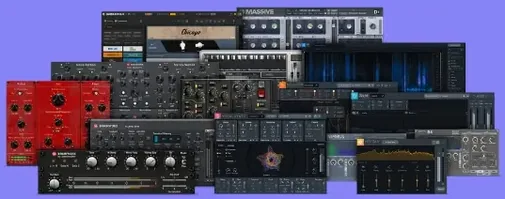
 Download for the office Mac (2.1 GB)
- Current version
- 2025.06.16 Fix
- Software maker
- Plugin Alliance
- Language support
- English
- License
- K'ed by TEAM HCiSO
- macOS versions
- macOS 11 or later
- Processor type
- Apple Silicon, Intel 64-bit
| System | macOS 11 or later |
|---|---|
| Chip | Apple Silicon, Intel 64-bit |
| Download | 2.1 GB |
| Earlier versions | 2 on record |
Audio engineers and producers working in pop, rock, or electronic music often reach for the Plugin Alliance Brainworx bundle when they need analog-style processing that stays clean under pressure. This collection, developed by Plugin Alliance’s founding partner Brainworx, covers mixing and mastering with tools like bx_digital V3 for EQ, bx_glue for bus compression, bx_rockrack V3 for guitar tones, bx_bassdude for bass amp simulation, and bx_townhouse Buss Compressor for mix bus glue. It runs on Apple Silicon and 64-bit Intel Macs under macOS 11 or later, with English as the interface language.
- Includes bx_digital V3, bx_glue, bx_rockrack V3, bx_bassdude, and bx_townhouse Buss Compressor
- Supports Apple Silicon and Intel Macs (macOS 11+)
- English interface only
- Suitable for mixing, mastering, and guitar/bass amp simulation
- Disk image installer with standard setup
- Works as Audio Units, VST2, VST3, and AAX plugins
Each plugin keeps the character of the hardware it models while adding modern features like M/S processing and sidechain filters. If your sessions call for a punchy bus compressor or a versatile EQ, this bundle gives you a solid set without the guesswork.
Start with oversampling off or set to 2x for tracking
After installing, open each plugin in your DAW and look at the oversampling and latency settings. The default oversampling can be heavy on the CPU, especially on older Intel machines. Start with oversampling off or set to 2x for tracking and mixing. Only raise it to 4x or higher during the final mix bounce or mastering stage. The bx_masterdesk Pro and bx_digital V3 both offer adjustable oversampling — set them to match your session's needs.
The sidechain filters on bx_glue and bx_townhouse Buss Compressor are worth setting early. Most users leave them flat, but a quick high-pass filter on the sidechain input stops the compressor from pumping on low-end rumble from kick drums or bass. A setting around 100 Hz tightens the bus without losing punch.
For bx_console AMEK 200 and bx_console SSL 4000 E, check the channel strip routing. The default routing sends signal through the full preamp, EQ, and compressor path. If you only need EQ, bypass the compressor section to save CPU. Same goes for the preamp drive — turn it down or off if you want a clean signal path.
Plugins missing in your DAW? Check the /Library/Audio/Plug-Ins folder
The most frequent issue is plugins not showing up in the DAW after installation. This usually means the installer placed them in a folder your DAW doesn't scan. On macOS, Plugin Alliance plugins install to /Library/Audio/Plug-Ins by default. Check that your DAW's plugin scan path includes that folder. If it doesn't, either move the plugin files or add that path to your DAW's preferences.
Another common snag is the installer failing to mount the disk image. If the image won't mount, right-click the .iso file and choose Open With > Disk Image Mounter. If that doesn't work, try a third-party tool like Fuse or MountDrive. Once mounted, the installer should launch automatically. If it doesn't, open the mounted volume and double-click the installer manually.
Some users report that bx_rockrack V3 causes a brief audio dropout when loading a session. This happens because the plugin loads its impulse responses on startup. The fix is simple: open the session and play a bar of silence before hitting record. After that first load, the plugin stays responsive.
If a plugin shows a blank GUI or missing controls, your screen scaling may be the cause.
Works with Audio Units, VST2, VST3, and AAX in any major DAW
The bundle uses the standard Audio Units, VST2, VST3, and AAX formats, so it works in any major DAW — Logic Pro, Pro Tools, Ableton Live, Cubase, Studio One, and Reaper all pick them up without extra configuration. AAX support means Pro Tools users on Apple Silicon Macs can use them in native mode without Rosetta translation.
macOS system audio routing also benefits. If you use Audio Hijack or BlackHole for virtual audio routing, you can run bx_masterdesk Pro on a system-wide output for quick mastering checks. Just route your DAW's output through the virtual device, apply the plugin, and listen back in real time.
For batch processing, you can combine these plugins with SoundFlow or AudioLens automation tools. Assign bx_digital V3's EQ curves or bx_glue's compression settings to MIDI controllers or automation lanes for dynamic changes during a mix. This is especially useful for film scoring or podcast production where you need consistent levels across multiple files.
macOS 11's native Apple Silicon support means all plugins in this bundle run natively on M1, M2, and M3 Macs. No emulation layers, no performance hit. Intel Mac users see the same stability on macOS 11 and later.
Bus compressors and channel strips for pop, rock, and electronic mixing
Mix engineers working on pop, rock, and electronic music will find the bundle's bus compressors and channel strips essential. The bx_console AMEK 200 and SSL 4000 E cover the two most common analog console sounds, while bx_glue and bx_townhouse Buss Compressor handle mix bus duties. If your sessions mix analog emulation with modern ITB workflows, this is a natural fit.
Mastering engineers benefit most from bx_masterdesk Pro and bx_digital V3. The mastering desk gives you EQ, compression, limiting, and stereo widening in one plugin, while the digital V3 offers precision EQ for surgical adjustments. Both plugins include M/S processing, which is a staple of professional mastering.
Guitarists and bassists using amp sims will appreciate bx_rockrack V3 and bx_bassdude. The rock rack covers clean to high-gain guitar tones with multiple amp and cab models, while bassdude handles bass amp simulation with a focus on low-end clarity. These replace standalone amp sims for many tracking and reamping sessions.
Post-production and podcast editors working with spoken word or voiceovers get less from this bundle than music producers, but bx_console SSL 4000 E's EQ and compression can tighten vocal tracks. bx_glue also works as a dialogue bus compressor if you adjust the attack and release settings. Still, the bundle's strengths lean toward music production rather than speech.
Use only the EQ section on a vocal bus for the first few days
Start with one plugin per session for the first few days. Open a mix session and insert bx_console SSL 4000 E on a vocal bus. Use only the EQ section at first — get comfortable with the filter slopes and the high-pass and low-pass controls. Then add the compressor section on a drum bus. This gradual approach prevents decision fatigue and helps you learn each plugin's character without overcomplicating the mix.
Save a template session with your preferred settings. Set up bx_masterdesk Pro on the master bus with your typical oversampling and sidechain settings, then save it as a session template. Next time you start a mix, the plugin is ready to go with your baseline configuration.
Test the sidechain filters on bx_glue and bx_townhouse Buss Compressor during the first mix. Route a kick drum track to the sidechain input, set a high-pass filter around 80 Hz, and listen to how the compressor reacts. This one adjustment changes the feel of the mix bus more than any other single control — it's worth experimenting with early.
Use the bundle's M/S processing on a stereo track to hear how bx_digital V3 or bx_masterdesk Pro handles mid and side channels separately. Pan a mono source hard left and right, engage M/S mode, and adjust the side channel EQ. This teaches you how the plugin processes stereo image and helps you decide when to use M/S over stereo mode.
Finally, keep the installer disk image on your drive for a few days. If you need to reinstall or move the plugins to another Mac, having the image local saves downloading again. Once you're satisfied everything works, delete the image to free space.
- macOS 11 or later
- Apple Silicon or 64-bit Intel processor
- English interface language
Installation steps
- Mount the downloaded disk image.
- Run the standard installation procedure.
 Questions and replies
Sign in or set up an account to leave a comment.
No one has commented here yet. If you have used this build, the useful note is where it failed.
Same shelf: VST Plugins
All VST Plugins titles Plugin Alliance Shadow Hills OptoMax
1.0.0 VST Plugins 73 MB
 Pulsar Audio IPA
1.0.9 VST Plugins 75 MB
 Output Portal
1.2.1 VST Plugins 319 MB
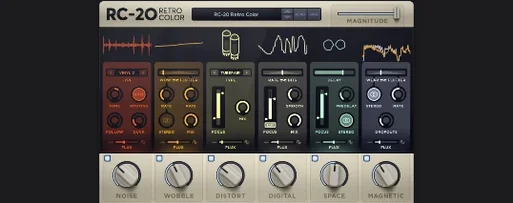 RC-20 Retro Color
1.5.1 VST Plugins 170 MB
 Omnisphere
3.0.2c VST Plugins 205 MB
 reFX Nexus
5.5.21 VST Plugins 72 MB
 Revoice Pro
5.1.30 VST Plugins 39 MB
 RipX DAW Pro
8.0.3 VST Plugins 1.6 GB

