 Download for the office Mac (24 GB)
- Current version
- 7.06 Native
- Software maker
- Hello Games
- Language support
- Russian, English, German, Spanish, Italian, Chinese (Traditional), Chinese (Simplified), Korean, Dutch, Polish, Portuguese, French, Japanese
- License
- Not required
- Processor type
- Apple Silicon, Intel 64-bit
- Tried first on
- macOS Golden Gate, Mac mini 2024 M4
- Date released
- 12.08.2016
- Spoken audio
- Russian, English, German, Spanish, Italian, Chinese (Traditional), Chinese (Simplified), Korean, Polish, Portuguese, French, Japanese
| Chip | Apple Silicon, Intel 64-bit |
|---|---|
| Download | 24 GB |
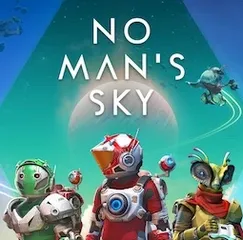
No Man's Sky is a procedurally generated space exploration game where you travel between deep space and planetary surfaces without loading screens, and the galaxy is shared with other players.
Open-ended exploration with no fixed path
- Players who enjoy open-ended exploration with no fixed path. You can fight, trade, or just wander.
- Anyone who likes upgrading ships, weapons, and suits as they go.
- People who want a large, connected universe where discoveries appear on a shared map.
No tight story—aimless if you need clear goals
- The game is not a tight story-driven experience. If you prefer clear goals and a narrative push, this may feel aimless.
- It runs on both Intel and Apple Silicon Macs, but Hello Games does not specify a minimum macOS version. The current test system was macOS Tahoe on an M4 Mac mini.
- Text is available in a wide range of languages, including English, French, German, Spanish, Italian, and several others. Russian voice and text are supported.
A simple start: finding your first fuel
You begin stranded on an unknown planet. Your suit's life support and your ship's launch thrusters both need fuel. Here is a short workflow that gets you airborne.
- Look around for a small mineral deposit or a metallic rock formation. Approach it and interact with it to collect raw materials.
- Open your inventory and check what you have. You will almost always find some carbon and ferrite dust early on.
- Use collected carbon to refill your life support. Keep an eye on the indicator.
- Find a source of hydrogen or oxygen on the scanner – often found in glowing plants or crystal-like deposits on the surface.
- Once you have enough, interact with your ship's landing gear panel. The game gives you a clear option to refuel the launch thrusters from your inventory.
- With thrusters full, climb into the cockpit and lift off. From there, you can point toward the nearest star system on the galactic map.
This sequence repeats across different planets. The resources change names and colors, but the loop stays the same: scan, collect, refuel, move on.
Uses Metal to run on both Intel and Apple Silicon
No Man's Sky runs on both ARM and 64-bit x86 Macs. Hello Games rewrote the rendering pipeline to use Metal, the native graphics framework on macOS, which means the game talks directly to the hardware rather than through a translation layer. That is the reason it works on Apple Silicon at all.
You do not need to adjust configuration files or install extra runtimes. The Mac version includes every content update from the past seven years, so the game you launch is the same one Windows players have been getting. Cross-play is enabled by default – you can join a friend on a PC or console without flipping any switches.
The single download contains all thirteen language options and the voice packs for Russian, English, German, Spanish, Italian, Chinese, Korean, Polish, Portuguese, French, and Japanese. You choose your language in the game's settings menu after the first launch, not during installation.
Patch 7.04, which is part of the Cosmos update, brought general gameplay and stability fixes. No new content was added in that patch – it is a maintenance release that cleans up issues from the larger Cosmos update.
Booted and playing in under a minute
You have maybe forty minutes after the kids are in bed. You do not want a game that demands thirty minutes of cutscenes before you can do anything. You boot No Man's Sky, and within a minute you are on a planet that nobody else has named yet. You walk toward a canyon, scan two new life forms, and collect enough fuel to take off. Then you jump to a nearby system, see a trading convoy passing by, and sell the minerals you picked up. You make a small profit, upgrade your suit's inventory space by one slot, and quit. The game saved automatically the moment you entered the system. Next time you launch, you are right back in orbit with your new cargo space ready to use.
That kind of session works because the game does not penalize short play. There are no daily timers that punish you for missing a day, no lengthy mission log you need to review before you can move. You drop in, do something small, and leave.
- Gameplay and stability fixes.
- Included in the Cosmos update.
- Architecture: Intel and Apple Silicon
- macOS: not specified by developer
Questions from the office
Does No Man's Sky have a story?
There are story threads, but the game is built around open exploration. You are not pushed down a single path.
Can I play on an Intel Mac?
Yes, the game supports both Intel and Apple Silicon architectures.
What languages does the game support?
It supports English, German, Spanish, Italian, Traditional Chinese, Simplified Chinese, Korean, Dutch, Polish, Portuguese, French, Japanese text, plus Russian text and Russian voice.
Installation steps
- Mount the downloaded disk image.
- Drag the app into the Applications folder alias.
- Launch the app from Launchpad after copying finishes.
 Questions and replies
Sign in or set up an account to leave a comment.
No one has commented here yet. If you have used this build, the useful note is where it failed.