 Download for the office Mac (875 MB)
- Current version
- Build 25090803 [Wineskin]
- Software maker
- Amistech Games
- Language support
- English
- License
- Not required
- Processor type
- Apple Silicon
- Tried first on
- macOS Tahoe, Mac mini 2024 M4
- Date released
- 9.01.2025
- Spoken audio
- Finnish
| Chip | Apple Silicon |
|---|---|
| Download | 875 MB |
| Earlier versions | 1 on record |
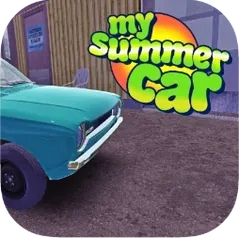
The mail-order parts arrive in a few in-game days, which gives you just enough time to bolt the Satsuma’s suspension together before the courier van shows up. That’s the rhythm of My Summer Car — you work on the car, you eat, you take a sauna, and you try not to die permanently. The game drops you into a 1990s Finnish village with a rusted shell and a stack of crates. Your job is to build it from the block up, tune it for rally stages, and keep your character fed and sober enough to turn a wrench.
Assemble the Satsuma engine by hand, then bolt on mail-order performance parts
- Assemble the Satsuma engine, wiring, body panels, and interior by hand
- Order performance parts by mail and bolt them on
- Drive other vehicles — boats, mopeds, tractors — when the car is apart
- Eat, sleep, use the sauna, and avoid permanent death
- Enter rally competitions once the car is roadworthy
How the Wineskin version runs
This is Build 25090803 packaged with Wineskin so it runs on Apple Silicon Macs. It is not a native port, but the wrapper handles the DirectX calls well enough that the main gameplay loop — assembling parts, tuning, driving — works without stutter. Keep an eye on your character’s thirst and hunger meters while you work; the game does not pause when you are elbow-deep in the engine bay.
Forgetting to tighten every bolt costs new players their first few hours
Most new players lose their first few hours to the same handful of gotchas. Knowing them ahead of time saves frustration.
- Forgetting to tighten every bolt. The game expects you to wrench each connection fully, not just click parts together. A loose bolt on the driveshaft means the car won’t move.
- Neglecting the character’s needs while building. It is easy to focus on the Satsuma and let hunger or thirst go critical — then you pass out in the garage. Permanent death is real, so pause the work and eat.
- Mistaking the beer for a save point. The game does not save when you drink. Save only happens when you sleep in the bed or use the sauna properly. A common rookie move is drinking six beers and expecting progress to stick.
- Ordering parts before the basic frame is ready. The mail truck arrives on a schedule, and if the chassis isn’t assembled, you waste those in-game days. Build the suspension and engine mounts first, then place the order.
Workflow: getting the Satsuma to its first rally
Here is a straight path from the empty shell to a car that can enter a competition.
- Build the engine block first. Install the crankshaft, pistons, cylinder head, and carburetor. Tighten every bolt with the wrench — the game won’t do it for you.
- Attach the driveshaft and gearbox to the chassis. Without these, the car is a shed.
- Mount the suspension — leaf springs, shocks, front axle. The car needs to sit on its wheels before you can test anything.
- Wire the electrical system. Skip this and the engine won’t start.
- Run the mail order for upgrades. While you wait the two in-game days, install the body panels and the interior. Eat, sleep, and use the sauna so the character survives the wait.
- When the parts arrive, bolt them on. Fill the gas tank, check fluid levels, and start the engine.
- Drive to the rally waypoint. If the car holds together, enter the competition. If it shakes apart on the road, you skipped a bolt somewhere — tow it back and trace the loose connection.
The game does not hold your hand through any of this. That is the point. Each player’s first rally takes a different number of tries, but the steps stay the same.
- macOS version not specified by the developer
- Apple Silicon (M1 or later)
- Interface language: English
Installation steps
- Open the downloaded disk image.
- Drag the app into the Applications folder shortcut.
- After copying finishes, launch the app from Launchpad.
- If the game shows an error on launch, run the file named Fix in the disk image.
 Questions and replies
Sign in or set up an account to leave a comment.
No one has commented here yet. If you have used this build, the useful note is where it failed.