 Download for the office Mac (1.1 GB)
- Current version
- 1.0
- Software maker
- KishMish Games
- Language support
- Russian
- License
- Not required
- Processor type
- Apple Silicon, Intel 64-bit
- Tried first on
- macOS Sonoma, MacBook Air (M1. 2020)
- Date released
- 14.06.2023
- Spoken audio
- Music only
| Chip | Apple Silicon, Intel 64-bit |
|---|---|
| Download | 1.1 GB |
Metro Simulator 1.0 bundles three separate 2D metro simulators — Russia, Leningrad, and Moscow — into one package. Each one is a full game, not a skin swap.
Drive the train
You sit in the driver's seat with realistic controls: acceleration, braking, doors, camera switching, and an auto-announcer you can set up. You start and end each working day in the depot. It's a proper shift, not just a quick run.
Move the passengers
Passenger flow and traffic systems are simulated. You'll see crowds board and leave, and the game reacts to how you handle the schedule. The Russian version includes real lines and realistic sounds to back it up.
Know the trains
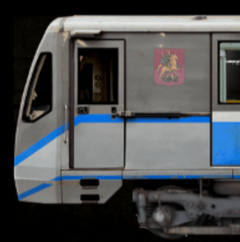
Russia Metro Simulator 2D recreates trains like the 81-717, 81-717.6, and 81-740. Leningrad and Moscow editions each bring a large number of their real trains to the rails. If you know your metro stock, you'll recognize them.
One afternoon in the depot
Let me describe a typical session, the kind where you're not rushing. I loaded Moscow Metro first, because that's the line I know best from photographs. The game opens to the depot view — you're sitting in the cab before the shift starts. I set the auto-announcer to the station sequence I want, checked the traffic light ahead was green, and pulled the controller forward for acceleration.
The first few stations you're mostly getting the feel of the brakes. They're not digital. You have to ease off early if you want to stop level with the platform markers. On the third stop I misjudged and overshot by maybe a car length. The passengers on the platform just stood there, didn't board. That's the simulation working: if you don't stop right, nobody gets on. I reversed a little, opened the doors on the correct side, and watched them file in and find seats.
About halfway through the run I switched to the passenger viewpoint for a couple of stops. The 2D art is simple but the station names and layouts match the real lines well enough that you recognize them from memory. I finished the shift by pulling into the depot, closing the train down, and ending the day. The whole thing took maybe twenty minutes. It felt like a real shift, not a race.
Building a route in free mode
Free mode is where you can ignore the scenario tasks and just run what you want. Here's how I set up a custom run from scratch.
- I chose Leningrad Metro Simulator 2D from the launcher and selected free mode from the main menu.
- Picked the initial station — I used a station near the middle of a line I know from maps, rather than starting at a terminus.
- Set the route direction and time of day. I chose evening because the passenger flow changes and it's more interesting to see how the crowds thin out.
- The game generated a schedule. I adjusted it slightly, adding a few extra seconds at a busy station so I wouldn't feel rushed.
- I started in the depot anyway, because I like the ritual of powering the train up and moving out onto the main line. You can skip that if you want, but it feels wrong to me.
- Drove the route, paying attention to the switch arrows for turnbacks at the end of the line. The traffic lights change depending on the route you built, and you have to watch them.
- After the last stop, I ended the working day in the depot again. The game logged it as a completed shift.
That whole flow took about thirty minutes. No penalties for being slow, no mission failure. Just driving a train on your schedule.
A specific task: clearing a busy station on the Russia line
One scenario I tried in Russia Metro Simulator 2D involves managing a crowded platform. The task is straightforward: you arrive at a station with a large passenger buildup, open the doors, wait for everyone to board, and depart on time without rushing.
I pulled in with moderate speed, stopped exactly at the marker, and opened the doors. The passenger flow simulation showed people streaming out of the waiting area and onto the train. I watched the seat indicators — each carriage has a limited number of seats. Once the front car filled up, later passengers walked further down the platform to find an empty car. I waited until no one was left on the platform, closed the doors, checked the signal, and accelerated out. The whole operation took about ninety seconds longer than a normal stop. The scenario didn't penalize the delay, which is good because real metros don't rush either.
If I had left too early, some passengers would have been left behind. If I had waited too long, the schedule would drift. The game's traffic system handles the rest: following trains wait for you to clear the block before moving in.
Three complete simulators in one initial release
Version 1.0 is the initial release, so there's no update history to talk about. What it does offer is three complete games in one package from day one. Each simulator — Russia, Leningrad, Moscow — is a separate title with its own set of real lines, trains, and sounds. You get all three without needing to download anything extra.
The build supports both ARM and x86 64-bit architectures, which means it runs on Intel Macs and Apple Silicon machines alike. It was tested on macOS Sonoma and on a 2020 MacBook Air with an M1 chip, so compatibility with current hardware is established. The language is Russian, which is consistent with the subject matter. The install process is straightforward: mount the disk image, drag the app into Applications, and launch from Launchpad. If the app doesn't open, a single Terminal command sorts it.
For a version 1.0, the package is complete in scope. You get realistic controls, passenger simulation, free mode, scenarios, and three distinct metro systems. There's no waiting for promised features — it's all there from the start.
- First release of the Metro Simulator package, combining Russia, Leningrad, and Moscow Metro Simulator 2D.
- macOS version not specified; tested on macOS Sonoma.
- Architecture: Apple Silicon (ARM) and Intel (x86 64-bit).
- Tested on MacBook Air (M1, 2020).
- Interface language: Russian.
Questions from the office
What is included in Metro Simulator 1.0?
The package contains three separate titles: Russia Metro Simulator 2D, Leningrad Metro Simulator 2D, and Moscow Metro Simulator 2D.
Can I play as a passenger?
The primary role is train driver, but passenger flow is simulated, so you'll manage crowds and station behavior.
Does it work on Apple Silicon Macs?
Yes, the build supports both ARM and x86 64-bit architectures.
Installation steps
- Mount the downloaded disk image and drag the app into the Applications folder.
- After copying finishes, launch the app from Launchpad.
- If the app cannot be opened, run the listed Terminal command separately for each game.
 Questions and replies
Sign in or set up an account to leave a comment.
No one has commented here yet. If you have used this build, the useful note is where it failed.