
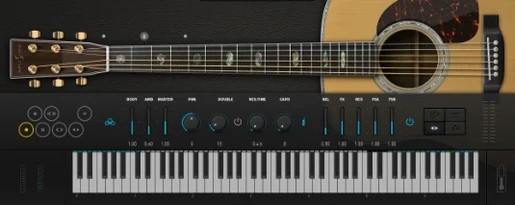
 Download for the office Mac (5.2 GB)
- Current version
- 4.1.0
- Software maker
- Ample Sound
- Language support
- English
- License
- Included
- macOS versions
- macOS 10.13 or later
- Processor type
- Apple Silicon, Intel 64-bit
| System | macOS 10.13 or later |
|---|---|
| Chip | Apple Silicon, Intel 64-bit |
| Download | 5.2 GB |
| Earlier versions | 3 on record |
If you already use a sample-based piano or drum plugin in your DAW, Ample Guitar M fits the same role for acoustic guitar. It sits on a software instrument track, and you can route it to a bus for reverb or compression just like any other virtual instrument. The plugin models a Martin D-41 with steel strings, so it covers everything from fingerpicked verses to strummed choruses.
Loads Guitar Pro files with realistic articulations
- Loading Guitar Pro files and playing them back with realistic articulations.
- Building rhythm parts with the built-in strumming system.
- Adding fingerpicking, palm muting, hammer-ons, pull-offs, slides, harmonics, or vibrato to a part.
Requires a separate sample library and macOS 10.13+
- The sample library is required — the plugin won’t work without it.
- It runs on macOS 10.13 or later, on both Intel and Apple Silicon Macs.
- The interface is in English only.
Compared to Shreddage: articulation and workflow differences
If you are looking at Ample Guitar M, you have probably run across a few other options. The main difference I see is how each one handles articulation and workflow. Shreddage (from Impact Soundworks) is electric-focused and does not aim for the same acoustic body tone. It works well for rock and metal, but you won't get the steel-string fingerstyle sound you get here. MusicLab's RealGuitar has been around for years and handles strumming patterns fairly well, but its sample set is older and the articulation options — slides, hammer-ons, vibrato — are not as deep as what Ample Sound put into version 4.1.0. Another one is Kontakt-based libraries like Indiginus's Acoustic Revolutions, which sound good but require the full Kontakt player, adding another layer of setup. Ample Guitar M runs as its own plugin, no extra player needed, and the included Riffer tool with the new Swing Quantization and Auto Vibrato Curve from the 4.1.0 update gives you more control over timing and expression without leaving the plugin.
Start by loading your own Guitar Pro files into the tab player
Once you have the plugin installed and activated, spend the first session just loading a few Guitar Pro files you already have. The built-in tablature player will show you exactly which fingers and articulations the original tab intended, and you can hear how the plugin interprets them. That alone tells you a lot about what needs manual tweaking. Next, try the strumming system with a simple chord progression — start with downstrokes only, then add upstrokes and accents. The strumming engine responds to velocity and timing, so you can shape the feel without editing MIDI notes note by note. Finally, save one template track in your DAW with Ample Guitar M loaded, your favorite reverb bus, and a basic MIDI clip. That way your next project starts with a ready acoustic track.
Missing sample library silences the plugin
No sound after install: check the sample library location
This is the most frequent issue after a fresh install. Ample Guitar M needs the sample library downloaded separately from the same source as the plugin. If the library is missing or not in the expected location, the plugin loads but stays silent. Check that you have run the library installer — it is a separate download, not bundled with the plugin installer. On macOS, the library usually ends up in the default Ample Sound folder inside Documents or your user directory. If you moved it, the plugin may not find it until you point to it in the settings.
Articulations sound wrong or inactive
Some articulations — like hammer-ons or harmonics — only trigger when you play within a certain velocity range or note interval. If a slide or pull-off does not seem to respond, check the MIDI note velocity in your piano roll. Low velocities can trigger softer samples, but some articulations need a minimum velocity to switch modes. Also verify that you are not in a mode that disables certain articulations, like the Auto Vibrato mode, which was introduced in the 4.1.0 update and can be toggled per note.
CPU or loading delays
The 4.1.0 update improved sampler engine performance with faster loading and playback, but if you are working on a project with many instances of the plugin, consider using one instance per project and routing MIDI tracks to it. That keeps memory usage down and avoids reloading the library for every track. If you still see a delay when switching presets, check that your buffer size in the DAW is set to 512 samples or higher during composition — lower settings can cause hiccups with sample-based instruments.
Library not recognized after an update
If you update to version 4.1.0 and the plugin asks for the library again, the installer may have reset the library path. Re-run the library installer from the download page, or manually point the plugin to the Ample Guitar M library folder in the plugin's preferences. Keep the original .zip or .dmg file handy for this reason.
- Improved sampler engine performance with faster loading and playback.
- Added Auto Vibrato Curve and Swing Quantization to Riffer.
- macOS 10.13 or later
- Intel or Apple Silicon
- Sample library required
Installation steps
- Extract the archive or open the DMG file.
- Open the PKG installer.
- Follow the on-screen instructions to continue the installation.
- Use the included activation instructions to finish setup.
 Questions and replies
Sign in or set up an account to leave a comment.
No one has commented here yet. If you have used this build, the useful note is where it failed.
Same shelf: VST Plugins
All VST Plugins titles Ample Sound Ample Guitar LP III
4.0.1 VST Plugins 9.2 GB
 Arturia Analog Lab V
5.12.6 VST Plugins 2 GB
 Arturia Efx AMBIENT
1.0.0 VST Plugins 285 MB
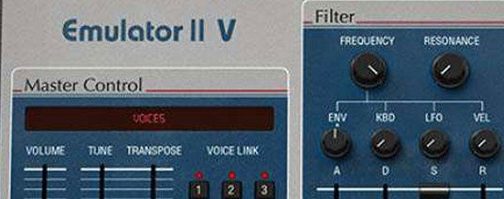 Arturia Emulator II V
1.6.2 VST Plugins 700 MB
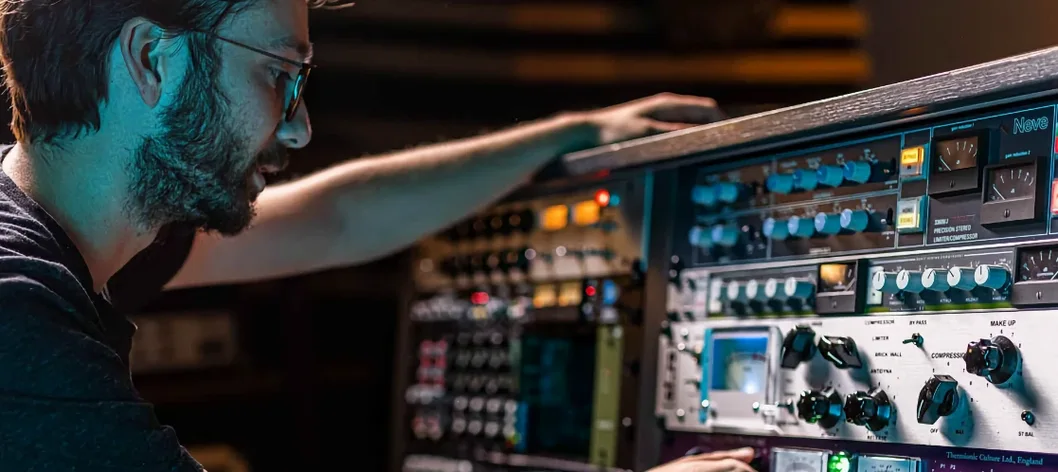 Arturia FX Collection
2026.02 VST Plugins 16.1 GB
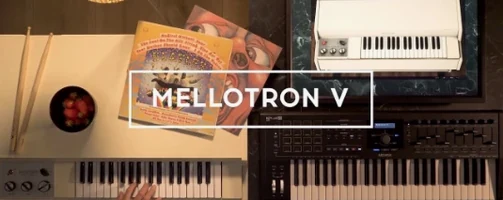 Arturia Mellotron V
1.9.3 VST Plugins 2.1 GB
 Arturia Piano V3
3.3.3 VST Plugins 361 MB
 Arturia Pigments
7.0.1 VST Plugins 1.8 GB

