

 Download for the office Mac (1.4 GB)
- Current version
- 3.3.2
- Software maker
- Plugin Boutique
- Language support
- English
- License
- K'ed by MORiA
- macOS versions
- macOS 10.15 or later
- Processor type
- Apple Silicon, Intel 64-bit
| System | macOS 10.15 or later |
|---|---|
| Chip | Apple Silicon, Intel 64-bit |
| Download | 1.4 GB |
| Earlier versions | 16 on record |
The Multi-Bind feature in Scaler 3 is where it starts to make sense in a real session. You can link several tracks together so a single chord change drives a bass line, an arpeggio, and a pad all at once. That turns it from a sketchpad into something you keep on a bus or a group track while you build out the arrangement.
Generating melodies, bass lines, and arpeggios in any key
- Generating melodies, bass lines, and arpeggios in any key, then dragging the MIDI out.
- Hosting other VST or AU plugins directly on the chord and MIDI sections.
- Working standalone when you just want to find a progression without opening a DAW.
English-only interface and 64-bit requirement
- 64-bit only — no support for older 32-bit hosts.
- Interface is English only.
- Version 3.3.2 fixes the MIDI Editor display issues that could show blank space before chords or incorrect note representations.
- Exported MIDI now automatically trims empty space at the start of the sequence.
How Scaler 3 compares with similar apps
If you work with chord progressions regularly, you've probably looked at other options. Captain Chords by Mixed In Key covers similar ground — chord packs, progression suggestions, and MIDI export — but it leans more toward pop and EDM templates. Scaler 3 feels broader to me, with its library of presets grouped by artists and genres, and the Multi-Lane Timeline lets you work with melody, bass, and phrases alongside chords in one view. Captain Chords doesn't offer that kind of multitrack arrangement inside the plugin itself.
Another comparison is Orb Producer Suite. It generates chord progressions and patterns too, but it focuses more on algorithmic generation and randomization. Scaler 3 is more deliberate about music theory: you pick a key, browse chord suggestions, and build progressions step by step. Orb's strength is generating variations quickly; Scaler's is understanding why a progression works and being able to tweak it with theory in mind.
Then there's Cthulhu by Xfer Records, which is simpler — it's essentially a chord trigger and arpeggiator. Scaler 3 does a lot more: chord suggestions, melody generation, bass lines, plugin hosting, and the standalone mode. Cthulhu is great if you just need to map chords to pads and play. Scaler 3 is for when you want to build a full harmonic arrangement and export it into your DAW.
Ignoring the Multi-Bind feature limits your workflow
The biggest one I see is ignoring the Multi-Bind feature at first. People treat Scaler 3 like a chord reference tool, pick a progression, drag the MIDI out, and close it. That works, but you're missing the point of the Multi-Lane Timeline and Multi-Bind. If you link a bass track and an arpeggio track to your chord track, you get a complete harmonic bed in one pass. It saves a lot of editing later.
Another mistake is not using the plugin hosting inside Scaler 3. You can load VST or AU instruments directly on the chord and MIDI sections. Instead of bouncing MIDI to a track and then assigning a synth, you can audition sounds inside Scaler and hear how the progression works with different timbres. Beginners often bounce too early and lose the chance to experiment.
People also forget that Scaler 3 runs standalone. If you're stuck on a progression and don't want to open a full DAW session, launch it by itself. You can sketch chords, try variations, and export MIDI later. That standalone mode is a good way to separate writing from production, but a lot of users never touch it because they think of Scaler as strictly a plugin.
Requires macOS 10.15 or later for Intel and Apple Silicon
Scaler 3 version 3.3.2 requires macOS 10.15 or later. It runs on both Intel (64-bit x86) and Apple Silicon Macs, and it's 64-bit only — so if you're still on a 32-bit host or an older macOS version, it won't work. The installer comes as a standard disk image: mount it and run the installer. No unusual steps.
The plugin formats covered are VST, VST3, AU, and AAX, which covers Logic, Ableton Live, Cubase, Pro Tools, and most other DAWs. The interface is English only, so if you prefer other languages, that's a limitation to keep in mind.
Because it's a music theory workstation rather than a sample library or synth, it doesn't load large sound banks. Disk space and memory usage are modest compared to something like Kontakt. The main thing your Mac needs is a working audio or MIDI setup if you plan to use it standalone or host instruments inside it.
Adjusting MIDI preferences to fix display issues
After installing, open Scaler 3 and look at the MIDI preferences. Version 3.3.2 fixed display issues where notes could appear missing or chords showed blank space before them, so make sure you're on the latest build. If you export MIDI regularly, the automatic cropping of empty space at the start of sequences is a good default — no more trimming silence manually.
I'd also set up Multi-Bind early if you plan to use multiple lanes. Link a chord track to a bass lane and a melody lane right away. That way, every chord change cascades across the arrangement, and you can hear the full context instead of just the chords in isolation. You can always unlink tracks later if you want independent control.
If you're browsing the preset library, take a moment to filter by genre or artist rather than scrolling through everything. The chord suggestions are grouped that way for a reason, and it's faster to find progressions that fit your style.
- Fixed MIDI Editor display issues that could cause missing notes, incorrect chord representations, and unwanted blank space before chords.
- Exported MIDI now automatically crops empty space at the start of the sequence.
- macOS 10.15 or later
- Intel or Apple Silicon
- 64-bit only
Questions from the office
Can I use Scaler 3 as a standalone app?
Yes, Scaler 3 can run standalone, so you can work on chord progressions and melodies without opening a DAW.
What plugin formats does Scaler 3 support?
It supports VST, VST3, AU, and AAX formats, and it can host VST and AU plugins on its chord and MIDI sections.
What macOS version do I need for Scaler 3?
You need macOS 10.15 or later. The plugin is 64-bit only and works on both Intel and Apple Silicon Macs.
Installation steps
- Mount the downloaded disk image.
- Run the standard installer.
 Questions and replies
Sign in or set up an account to leave a comment.
No one has commented here yet. If you have used this build, the useful note is where it failed.
Same shelf: VST Plugins
All VST Plugins titles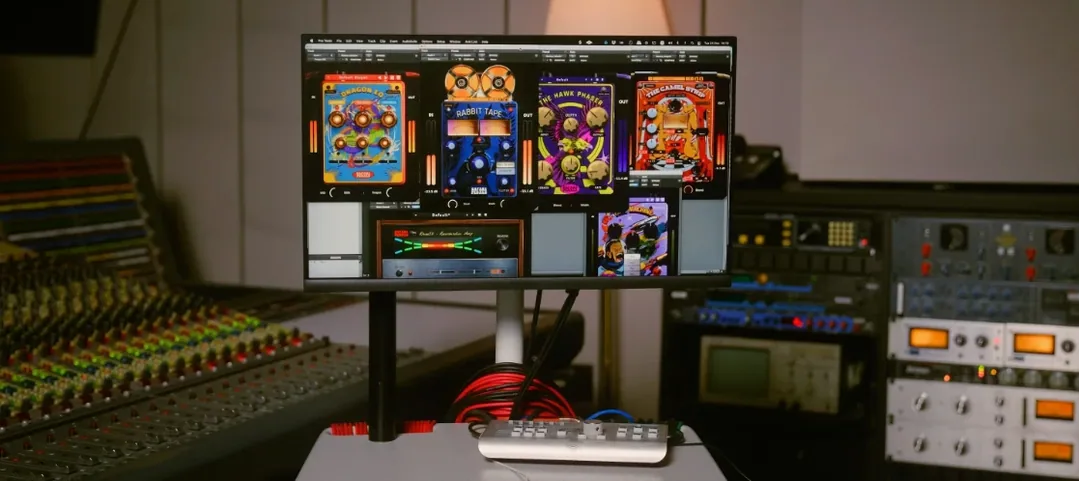 Safari Pedals Everything Bundle
2026.05 VST Plugins 628 MB
 Roland ZENOLOGY Pro
2.0.7 VST Plugins 1.8 GB
 Serato Hex FX
1.2.0 VST Plugins 105 MB
 RipX DAW Pro
8.0.3 VST Plugins 1.6 GB
 Serato Sample
2.2.0 VST Plugins 612 MB
 Serum
2.1.5 VST Plugins 1.2 GB
 Revoice Pro
5.1.30 VST Plugins 39 MB
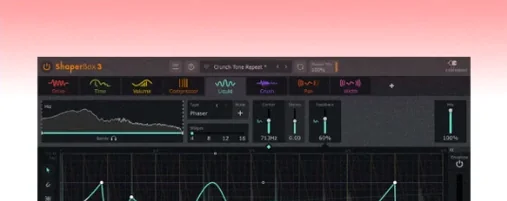 ShaperBox
3.6.1 VST Plugins 111 MB

