
 Download for the office Mac (707 MB)
- Current version
- 2.1.5
- Software maker
- Toontrack
- Language support
- English
- License
- k'ed by Team V.R
- macOS versions
- macOS 10.13 or later
- Processor type
- Apple Silicon, Intel 64-bit
| System | macOS 10.13 or later |
|---|---|
| Chip | Apple Silicon, Intel 64-bit |
| Download | 707 MB |
| Earlier versions | 8 on record |
You’ve got a song sketched out, but the piano part sounds stiff — like you played it with one finger while holding a coffee. EZkeys solves that by giving you a MIDI library of real, played-by-pianist patterns, plus tools to tweak them until they fit your track. Here’s how you’d typically work through it.
- Pick a pattern. Browse the library by genre or playing style. The MIDI was recorded by pros, so it already has the right feel — loose, tight, percussive, whatever the song needs.
- Drop it onto your track. EZkeys runs as a VST3 or AAX plugin, or standalone. Drag the pattern into your DAW’s piano roll and it becomes editable MIDI, not just audio.
- Shape the sound. The interface is resizable and includes Songwriting Scales to keep you in key. Adjust velocity, timing, and chord voicing from the plugin’s controls — no need to dig into the piano roll.
- Arrange and edit. Use the built-in songwriting tools to build verses, choruses, bridges. The patterns follow your chord changes automatically if you set them up right.
The result is a piano part that sounds like someone actually played it — because someone did. The controls let you dial in exactly how much of that performance comes through, from a simple background pad to a driving rhythm that sits right in the mix.
Pointing EZkeys at your existing MIDI libraries
After you mount the disk image and run the standard installation, take a few minutes to point EZkeys at your existing MIDI libraries. If you own any EZkeys MIDI packs from before, they need a working installation of EZkeys 1 or EZkeys 2 to show up — version 2.1.5 handles them the same way. Open the plugin in standalone mode first, before loading it inside a DAW, just to confirm the sound bank loads and the interface scales correctly on your display.
Try the Bandmate feature early. Drop a simple audio loop or a MIDI clip into it and see what chord progression it generates. This gives you a quick sense of how the Fazioli F212 grand piano responds to different input material. You can also test Tap2Find by tapping a rhythm on your keyboard — it suggests accompaniment patterns that match, which is useful when you’re stuck on what comes next in a verse.
If you work on multiple machines, copy your user presets and custom MIDI files manually after the install. The plugin doesn’t sync settings across computers by itself, so a quick drag to a USB drive saves you from redoing your favorite sound tweaks later.
Runs on macOS 10.13 and Intel or Apple Silicon Macs
Will this work on an older Mac?
EZkeys 2.1.5 runs on macOS 10.13 or later, and it supports both Intel and Apple Silicon Macs. The 64-bit build covers both architectures, so you don’t need to hunt down a separate version for an M-series machine. The standalone icon and project icon were updated to the macOS Tahoe style, but that’s cosmetic — the plugin itself behaves the same on High Sierra as it does on Sonoma.
Do I need a DAW to use it?
No. The standalone application opens on its own, so you can browse patterns, play the Fazioli grand piano live, and sketch out chord changes without launching Logic or Pro Tools. When you do want it inside a DAW, it works as an AU, VST3, or AAX plugin — pick whichever format your host prefers.
Can I use my own MIDI controller?
Yes. Any standard USB MIDI keyboard works with EZkeys in standalone mode or inside a DAW. The plugin reacts to velocity and sustain pedal signals, and the String Machine EKX instrument controls now feature a knob for the expression pedal, making that additional control helpful if your controller supports it.
Is the sound library limited to one piano?
The core sound comes from a Fazioli F212 grand piano recorded at Riksmixningsverket in Stockholm, with multiple microphones and ambiences. Those mix-ready presets, while built on that base, span styles ranging from intimate and close-miked to bright and roomy. The Transistor Organ EKX support added in 2.1.5 expands the sonic palette further if you own that expansion.
Raising the audio buffer for pattern playback on older Intel Macs
Before you start writing, open the preferences and check the audio buffer size. If you’re using the standalone version, a larger buffer (512 samples or higher) prevents clicks during pattern playback on older Intel Macs. On Apple Silicon, the default buffer usually works fine, but it’s worth verifying.
Set your MIDI input channel to match your controller. EZkeys defaults to omni mode, which listens on all channels — that’s fine for most setups, but if you run multiple instruments from one controller, locking it to channel 1 avoids accidental triggers from other zones.
Resize the interface to suit your workflow. The plugin window scales freely, so make it large enough to see the Chord Wheel and Songwriting Scales without scrolling, especially if you’re on a smaller laptop display. The controls stay readable at any size.
If you plan to use Bandmate or Tap2Find regularly, turn on the metronome in the transport bar. It keeps your timing consistent when you’re feeding rhythm input to the pattern generator — a small thing that saves you from re-recording because the groove was off by a few milliseconds.
- Added support for Transistor Organ EKX.
- Updated standalone and project icons to macOS Tahoe style.
- Improved performance with multiple CPU cores, especially on Mac.
- macOS 10.13 or later
- Intel or Apple Silicon (ARM) processor
- Standalone or plugin (VST3, AAX) operation
Installation steps
- Mount the downloaded disk image.
- Run the standard installation procedure.
 Questions and replies
Sign in or set up an account to leave a comment.
No one has commented here yet. If you have used this build, the useful note is where it failed.
Same shelf: VST Plugins
All VST Plugins titles Tone Empire EDYN
1.0.2 VST Plugins 198 MB
 UJAM Beatmaker VICE
2.4.0 VST Plugins 262 MB
 UJAM Symphonic Elements STRIIIINGS
1.3.1 VST Plugins 4.4 GB
 Valhalla DSP Bundle
2025.12 VST Plugins 61 MB
 T-RackS
6.3.2 VST Plugins 2.3 GB
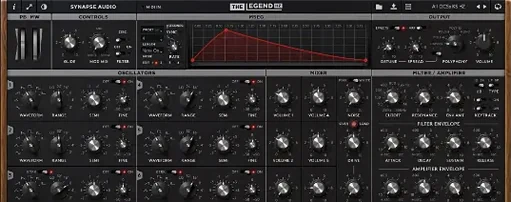 Synapse Audio The Legend HZ v2.0.2.R1
2.1 VST Plugins 472 MB
 Supertone Air
1.0.1 VST Plugins 408 MB
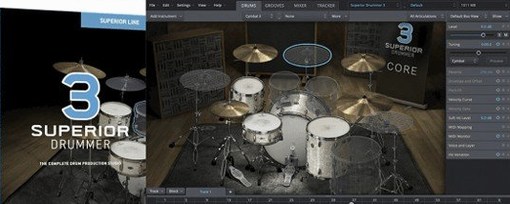 Superior Drummer
3.4.4 VST Plugins 625 MB

